 Doodle Days
Draw one good thing a day.
One small square of paper and a pencil. No streaks, no feed, nobody else’s drawings. Just a calendar quietly filling in behind you.


Free to download - no account needed - optional Pro upgrade
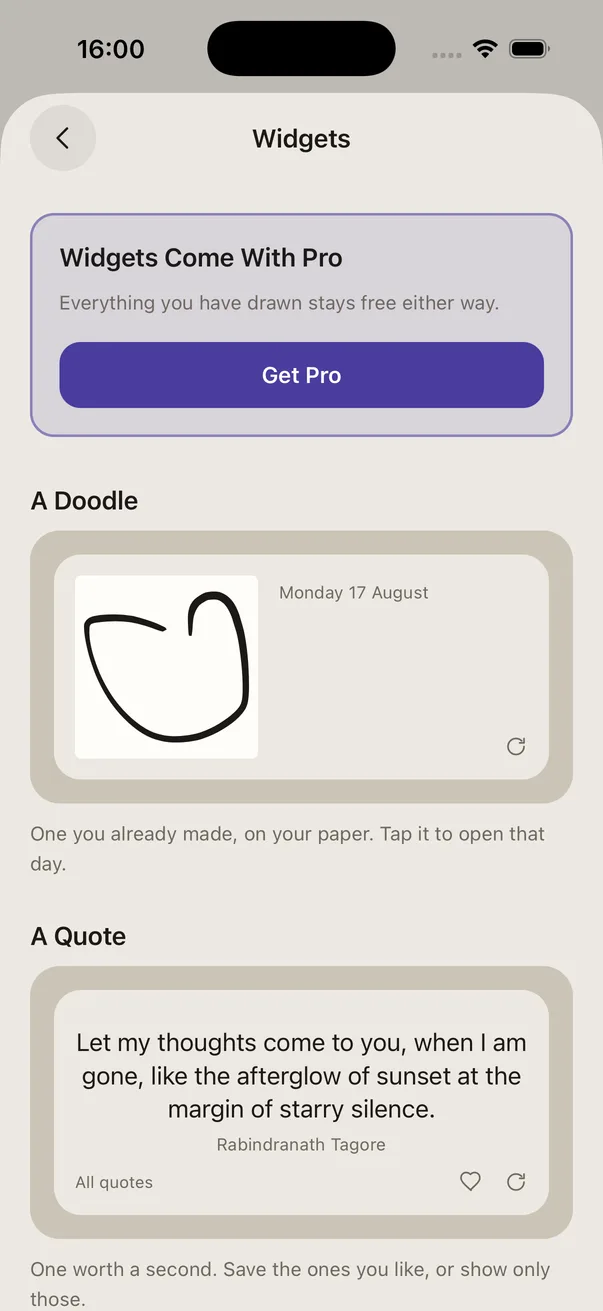
A drawing journal you can actually keep up
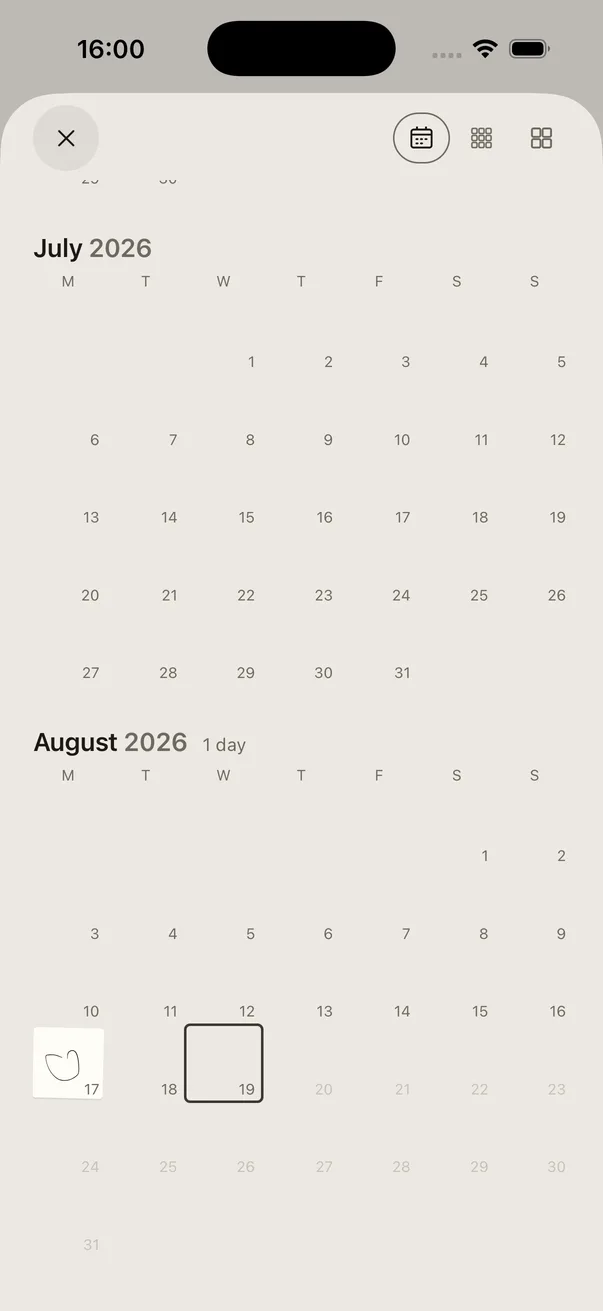
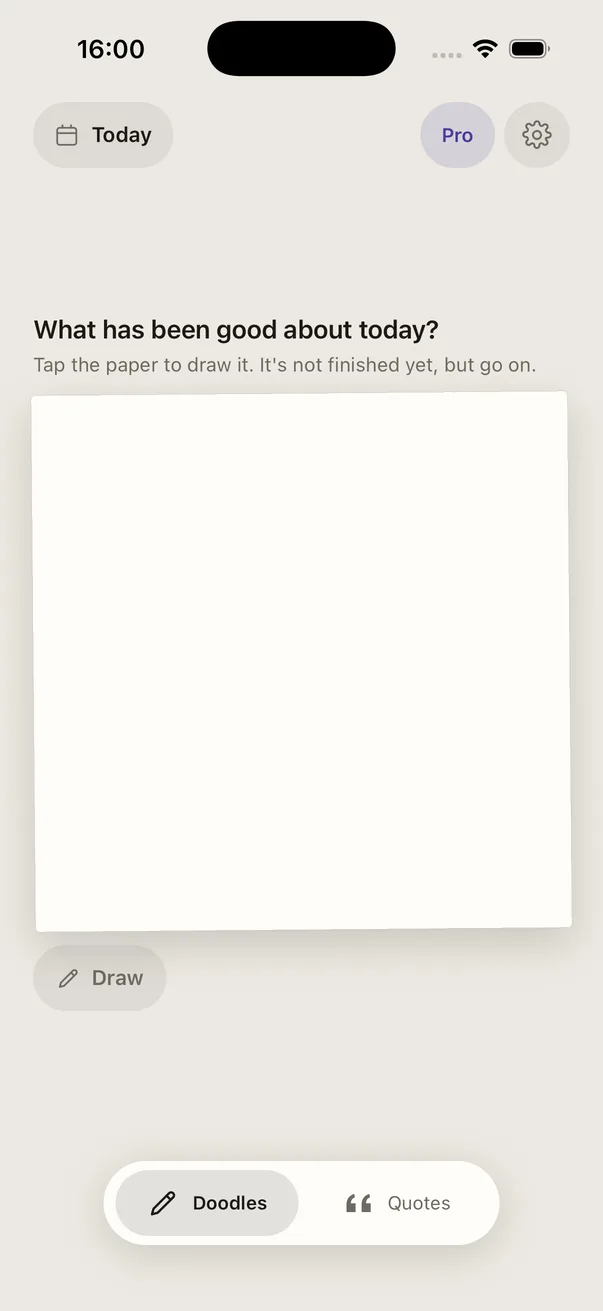
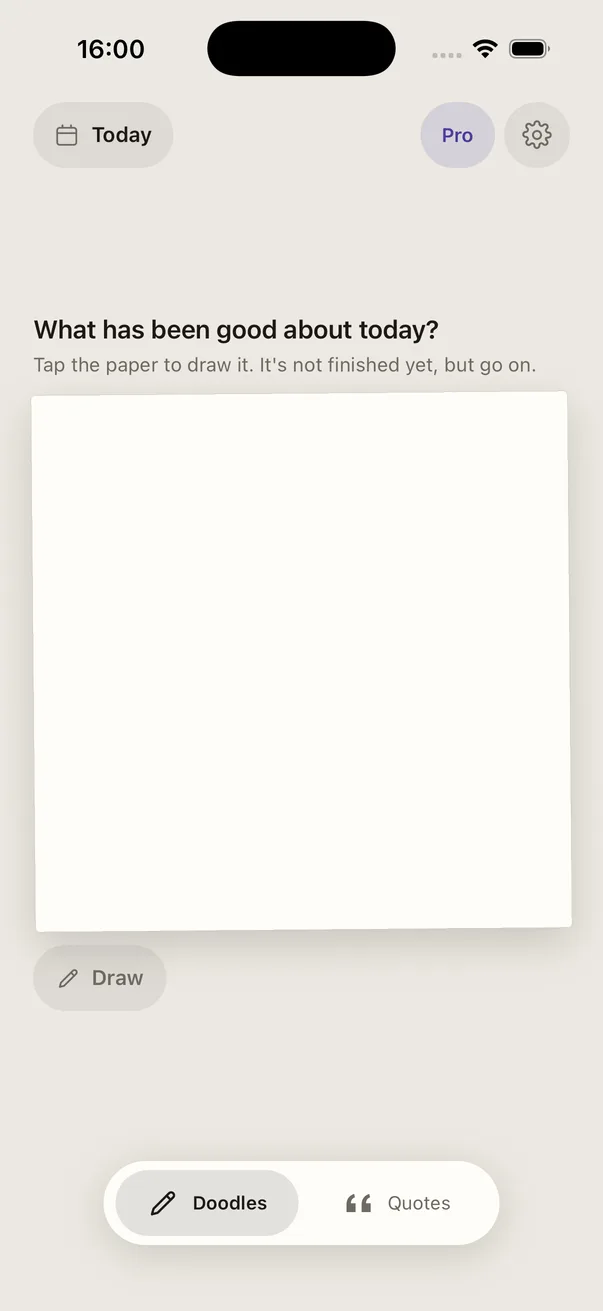
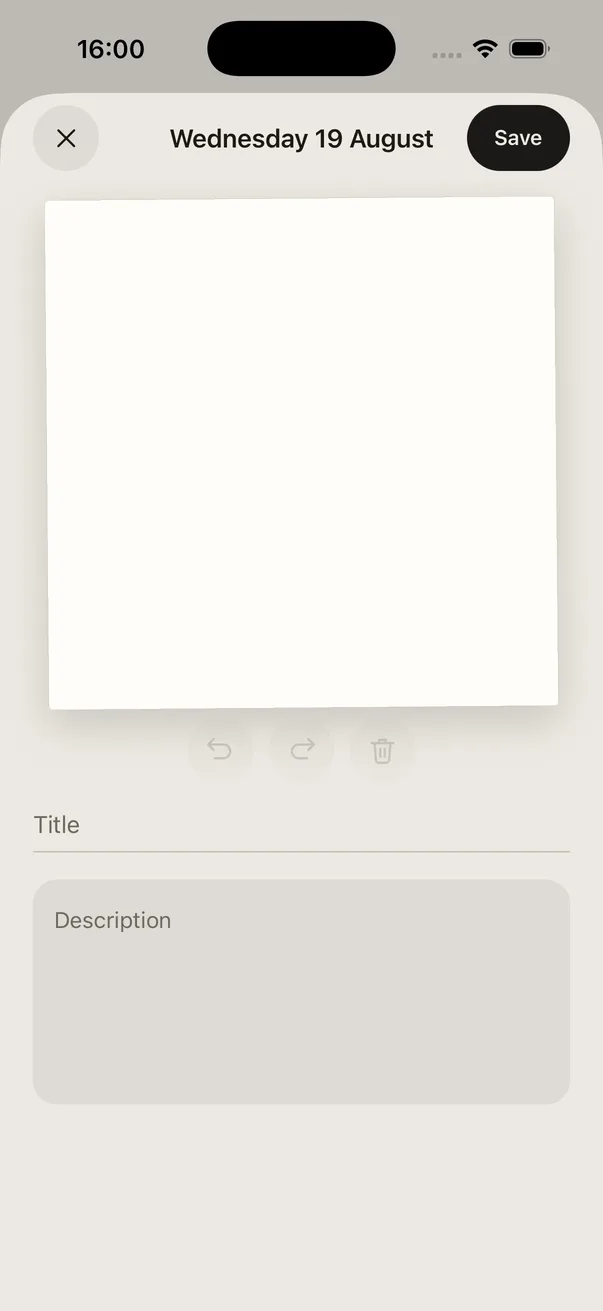
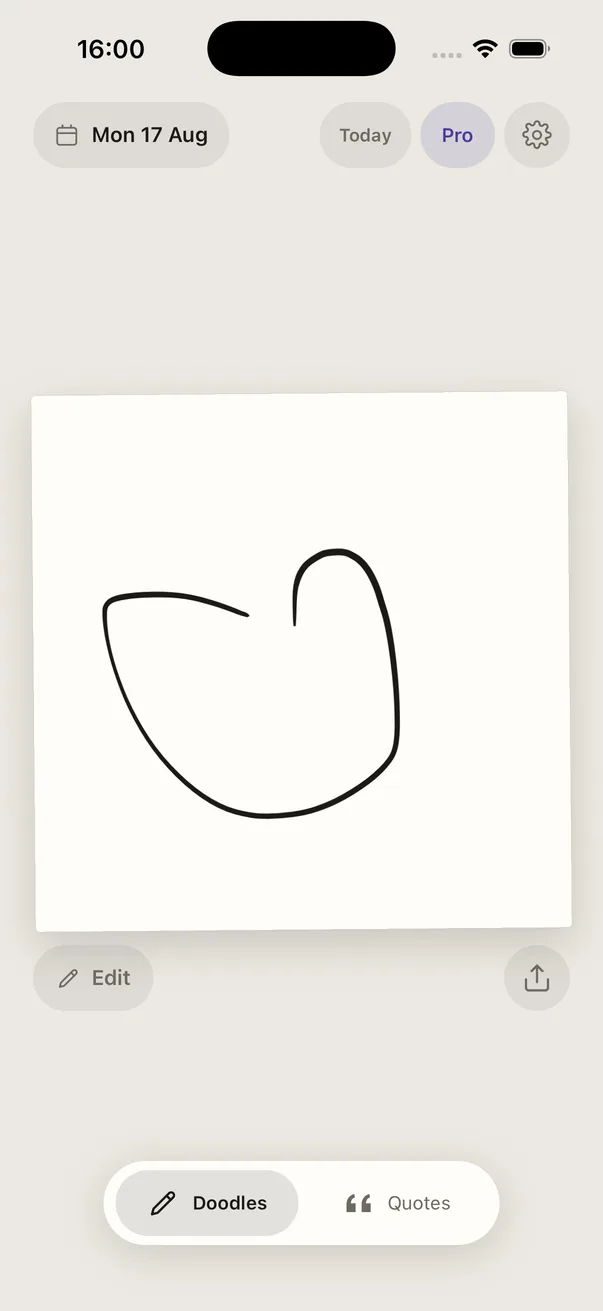
Most journals fail because they ask for a paragraph at the end of a day when you have nothing left. Doodle Days asks for a drawing, and a bad one is fine. It puts one small square of paper in front of you and asks the same thing every day: anything good happen? You draw the answer - a cup of tea, a dog you met, the shape of a hill - and that is the whole ritual. Add a title and a few lines if you feel like it, and most days you will not bother.
What makes it stick is that it never nags. There are no streaks to protect, no badges, no notification designed to make you feel something. Miss a week and the app is exactly as pleased to see you as it was before. The only thing that accumulates is the year itself, filling in behind you.
There is no window to miss either. Draw at seven in the morning or eleven at night, and the day rolls over at four in the morning rather than midnight, because that is when a day actually ends for most people.
How it works
Three steps, about thirty seconds, and no account to make first.
- 01
Answer the question
The app asks one question, the same one every day: anything good happen? One small thing is enough - a cup of tea, a dog you met, the shape of a hill.
- 02
Draw it badly
One square of paper and a pencil. It does not need to be good - it needs to be yours. A wobbly cup of tea is a perfectly good entry for a Tuesday.
- 03
Let the year build
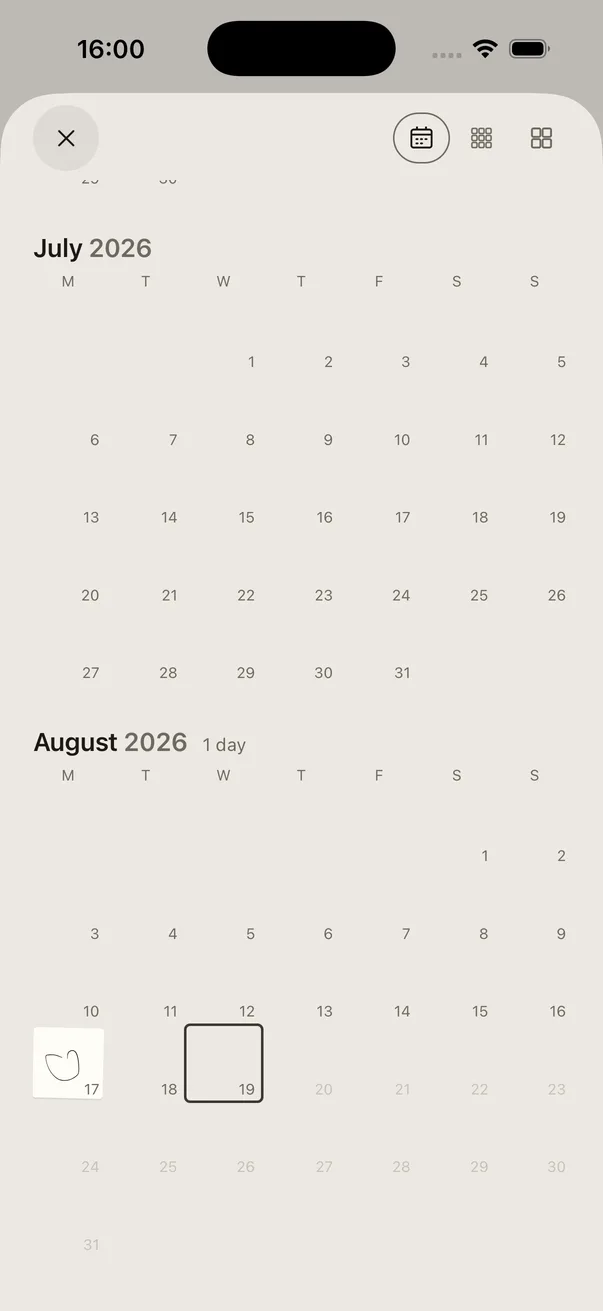
Open the calendar and the months fill in as you go. Miss a day and nothing breaks: there are no streaks to lose and no guilt copy anywhere in the app.
What is in it
One drawing a day
One square of paper, one drawing, and no way to make it a bigger job than that. Small enough that you actually do it, which is the only feature that matters.
A year that fills in
The calendar builds month by month. Scroll back through it and a year of ordinary days is suddenly a thing you can hold.
No streaks, no guilt
Miss a day and nothing breaks. No chains to keep, no badges to lose, no notification telling you off for having a life.
Nobody else, ever
No accounts, no backend, no social feed. Your drawings live on your phone and go nowhere - not to us, not to anyone.
A pen, not a drawing app
One weight, tapered at the ends, and no settings to get lost in. Strokes are kept as vectors rather than flattened pictures, so a drawing stays sharp anywhere and turns to chalk in dark mode without being redrawn.
A line worth a second
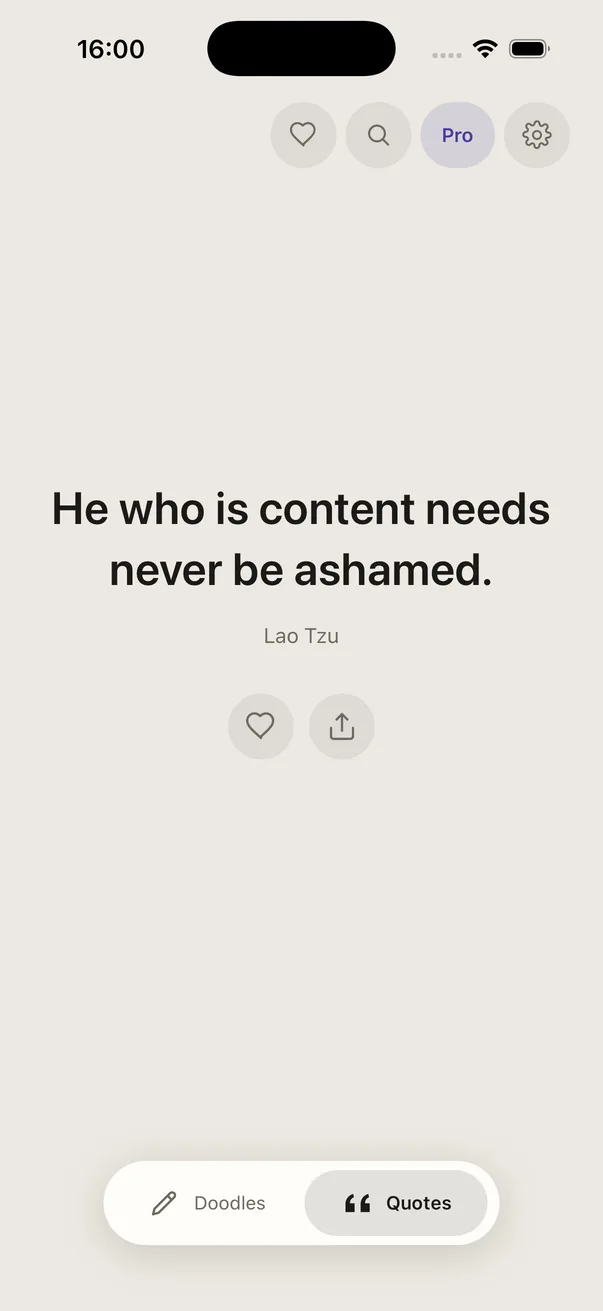
A second feed of borrowed quotes, dealt one a day. Public domain and properly attributed, and the same line turns up in the widget and the reminder so they never disagree.
Words, if you want them
Give a day a title and a few lines about it. Most days you will not bother, and the drawing on its own is a perfectly good record of a Tuesday.
A nudge, not a telling off
One reminder a day at a time you choose, carrying that day’s quote rather than an instruction. It never mentions how long it has been, and you can switch it off for good.
Your drawings never leave your phone
There is no account to make and no server to send anything to. Every drawing is stored on the device, as vectors rather than pictures, and that is the end of it. Nobody else can see them - not other users, because there are no other users, and not us, because we never receive them.
That is also why there is no feed. The day screen and the quotes screen scroll, but neither of them will ever contain somebody else’s work. A journal with an audience is not a journal.
The app does count a few things about itself - which screens get opened, whether the reminder is switched on, whether a purchase worked - so that it can be improved without guessing. Those are counts and nothing else. Not a stroke, not a title, not a word you wrote, and nothing tied to who you are. There is no advertising identifier and no tracking of any kind. The privacy policy says exactly the same thing at greater length.
Questions
What is Doodle Days?+
A drawing journal for your phone. It asks one question, the same one every day - anything good happen? - and gives you one small square of paper to draw the answer on. One drawing is the whole ask. The days stack up behind you and the calendar fills in, so a run of ordinary Tuesdays turns into something worth scrolling through.
Do I need to be good at drawing?+
No, and that is rather the point. The drawings are for you and nobody else - there is no feed, no followers, no likes and no comments. A wobbly cup of tea is a perfectly good entry for a Tuesday.
Is it on iPhone and Android?+
Both. Doodle Days is free on the App Store and on Google Play, and it is the same app on each: the same paper, the same pen, the same year filling in behind you.
Does it work on iPad?+
It is built for a phone. It will install and run on an iPad, at iPhone size, but it is not laid out for a bigger screen and does not pretend to be. A proper iPad version is a maybe, not a promise.
Is Doodle Days free?+
Yes. Every drawing, every day, forever, with no ads, no limit on how much you draw, and nothing of yours locked away. Pro is an optional upgrade that adds home screen widgets, seven more papers, an app icon to match each of them, and unlimited saved quotes. It only ever adds things, and nothing you have made is ever behind it. Lifetime is one payment and then it is yours. There is a monthly option if you would rather try it that way first, and it cancels from your phone’s own settings like any other.
What happens if I miss a day?+
Nothing. There are no streaks, no chains, no badges and no guilt notifications. Missing a day is not a failure and the app never treats it like one. You can go back and fill in a day you missed, or leave it blank as an honest record of a day you did not draw.
When does a day end?+
At four in the morning, not midnight. Draw at half eleven at night and it still counts as today, because for most people it still is today. You can draw for today or any day before it. Tomorrow is not allowed, which seems fair.
Can I write as well as draw?+
If you want to. Each day takes a short title and a longer note, up to about a thousand characters. The title goes where the drawing goes - on the share card and under the widget. The note never leaves the phone. Most days you will not bother with either, and the drawing on its own is a perfectly good record of a Tuesday.
Are my drawings private?+
Completely. There are no accounts and no backend - your drawings are stored on your phone and never uploaded anywhere. Nobody else can see them, including us. The app counts a few things about itself, like which screens get opened, so it can be improved without guessing, and those are counts and nothing else: not a stroke, not a word, and nothing tied to who you are.
What happens if I lose my phone?+
Your drawings live in the part of your phone that its normal backup covers - iCloud or a computer backup on iPhone, Google’s device backup on Android - so restoring onto a new phone brings the whole year with you. There is no cloud account behind it, which is the point, but it does mean a phone that was never backed up is a year that was never backed up. Turn the backup on. It is the one bit of admin we will ask of you.
Can I share a drawing?+
Yes. Any day can go out as a small card - the drawing on its paper, with its title - to Messages, WhatsApp or wherever you like. Sharing is always something you do on purpose. Nothing is ever posted anywhere on your behalf, because there is nowhere for it to be posted.
Is it a drawing app?+
No, and it is better for it. There is one pen, with one weight that tapers at the ends, plus undo and a clear. No layers, no brushes, no colour picker, no settings to get lost in. It is a journal that happens to be drawn, and the fewer decisions between you and the page, the more days end up on it. Your ink turns to chalk in dark mode, and it turns up on whichever paper you choose, because strokes are kept as vectors rather than pictures.
What are the quotes?+
A second feed, next to your days, of borrowed lines dealt one a day. Around two hundred of them - Seneca, Marcus Aurelius, Thoreau, Emerson, Lao Tzu, Whitman and company - all public domain and each one attributed to the person who actually said it. Save the ones that land: three for free, as many as you like with Pro. The same day’s quote turns up in the reminder and the widget, so they never disagree.
Start today
Free on iPhone and Android. Private, and small enough to keep up.
More from Zen Magpie
 Stoic Mind
A daily Stoic quote and a calendar of every week you have left. Use as directed.
Get Stoic Mind → ArtTrails
Walks that draw something. Pick a route, your GPS makes the picture. Yes, sometimes it is a duck.
Make a route → Monk Mode
A habit tracker without the dopamine slot machine. For people doing the work, not posting about it.
Start a streak →